Description
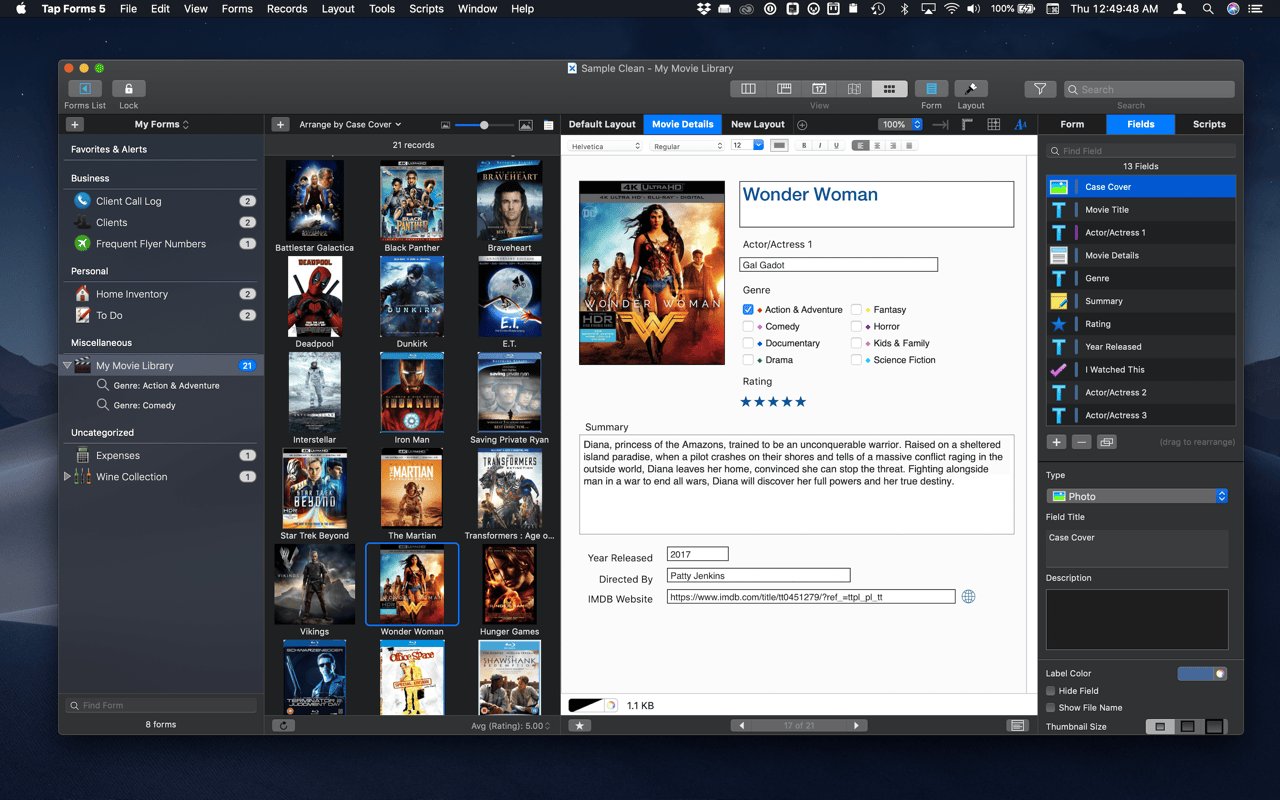
Tap Forms helps you organize all kinds of things in one place – secure, searchable, and accessible on your Mac (iOS + Apple Watch app sold separately). How can one app organize everything? Because not only can you use and customize the 33 built-in templates but you can create your own “forms” for inputting any kind of information, even if that information includes pictures, doodles, audio recordings, calculations, file attachments, ratings, or even links to other forms. This makes it almost like building your very own customized organization app.
Version 5.3.3: Fixed printing bug that caused static images to print only on the first record Fixed crash dragging items on the Layers tab on the Layout inspector panel Media browser window now support high DPI images for scaling. Previously they were rendering small. For example, an image that was scanned at 600dpi would only show at a small size and the zoom controls wouldn’t do anything because the image was smaller than the media browser window Added support for auto-complete to Email and Phone fields Fixed an issue where a Script field was being evaluated even if a field was edited that wasn’t referenced in the script If a photo goes missing, Tap Forms will try to reconnect it if the file is still in the attachments folder witin the .tapforms document Increased height of barcode renderings Fixed crash creating compound searches Fixed bug where custom layouts were coming up blank when printed on macOS High Sierra Added form.selectRecord(record); function to select a record for the specified form. Good for when you add a new record in a script and want the new record to be selected after the script runs Auto-complete menu appears properly in Dark Mode on Mojave now Added support for forward delete key when deleting photos Added record.getNoteFieldValue(field_id); method to get the rich text value from a Note field Added record.setNoteFieldValue(field_id, value); method to set the rich text value on a Note field Bolded Section Heading fields in Fields lists Fixed issue with grey background appearing on long Note fields Fixed issue with paste between layouts causing pasted objects to be cascaded Added support for no parameters in JavaScript Prompter class Added support for specifying a boolean parameter in JavaScript Prompter callback function so you can detect if the Cancel or Continue button was clicked Fixed an issue where thumbnail preview images weren’t being generated properly on the Default Layout Fixed some copy and paste issues on custom layouts Script buttons will no longer be on the output when printing a custom layout Added new Link Type icons for the Link to Form field type to help you identify what Link Type was selected for your Link to Form fields Cosmetic adjustments to the category names on the left. Uses a triangle now instead of the Show / Hide button. The triangle will make it easier to determine if a category is expanded or collapsed Alignment controls on a custom layout now are based on the first selected layout item. That is, other objects will align to the first select object’s position Supports forward and back delete key on layout editor Note and Console windows now closed when their parent document window is closed Added support for customized Prompter buttons using prompter.setCancelButtonTitle() and prompter.setContinueButtonTitle() Script field values can now be referenced from Calculation field formulas
macOS 10.12 or later, 64-bit processor
Screenshots